Tiếng Việt
Top VPN Solutions for Linux VPS: Performance & Comparison

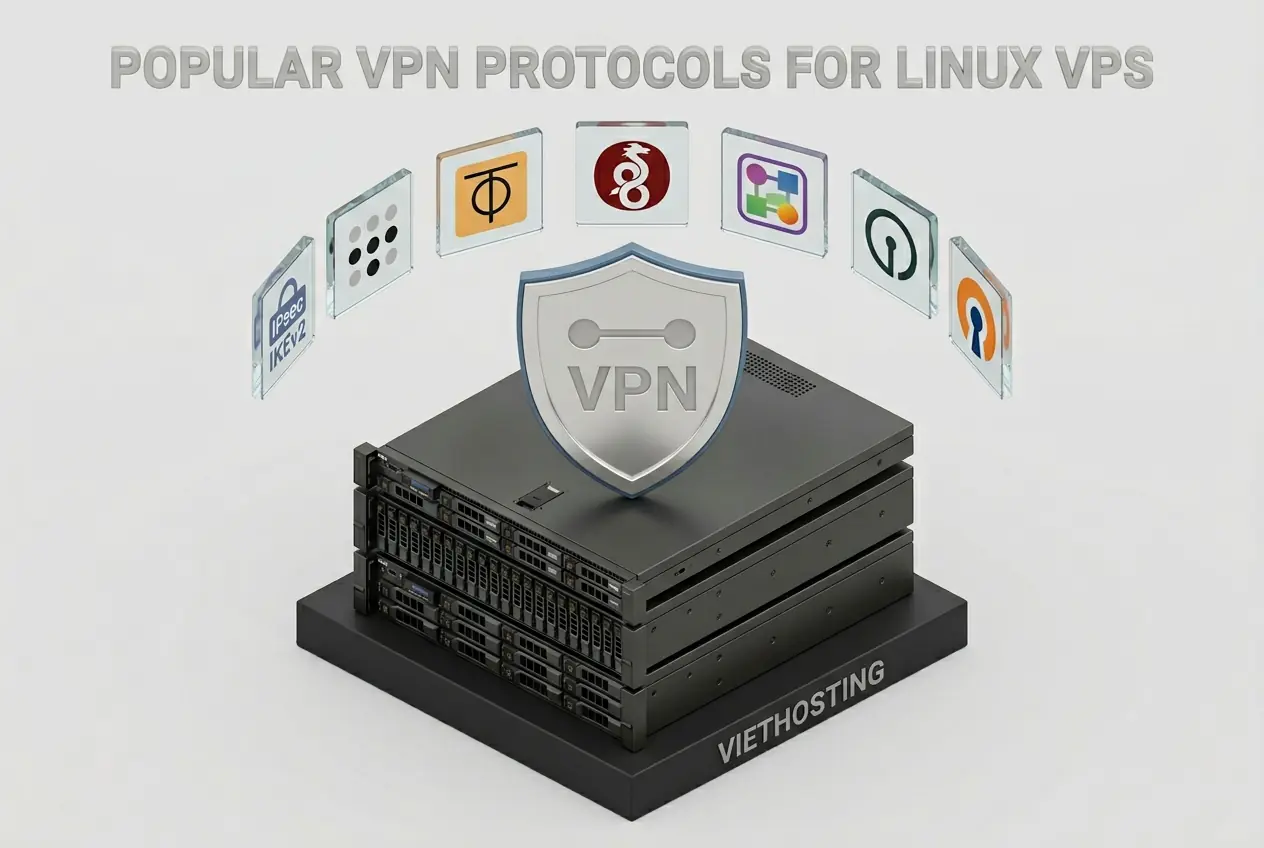
Choosing the best VPN solution for a Linux VPS completely depends on your specific networking infrastructure requirements: do you need maximum speed (WireGuard), flexible connectivity without a static Public IP (Tailscale, ZeroTier), an anti-censorship proxy (Outline VPN), or enterprise-grade compatibility with Native OS Clients (IPsec/IKEv2, SoftEther)?
This article serves as your Knowledge Hub. We analyze and compare the pros and cons of the 6 most popular VPN technologies today, provide detailed performance benchmarks, and guide you in selecting the right virtual private network platform to self-host securely on your Linux server.
* Note: In this article, the term "VPN" refers to VPN protocols and platforms used to build a self-hosted infrastructure on a Linux VPS, not commercial VPN subscription apps designed for end-users.
By utilizing VPN solutions on a Linux VPS, you can build a dedicated private server to encrypt traffic, enable secure remote access, and connect multiple local networks over the Internet. Unlike commercial applications, mastering the infrastructure to operate a Self-hosted VPN Server grants the ultimate privilege of absolute control over data privacy, bandwidth allocation, and custom routing. However, faced with a myriad of complex technologies—from Layer 2 and Layer 3 to Overlay Networks and Proxies—which standard is the true "perfect match" for your security architecture?
- 1. Why Build a Self-Hosted VPN Server on a Linux VPS?
- 2. WireGuard: The High-Speed Protocol
- 3. Tailscale & ZeroTier: Next-Gen Mesh VPN Platforms
- 4. IPsec/IKEv2 System: The Enterprise Standard
- 5. SoftEther VPN Server: The "Swiss Army Knife" Solution
- 6. Outline (Shadowsocks): The Proxy Antidote to DPI
- 7. OpenVPN Server: The Reliable Veteran System
- 8. Master Benchmark & Performance Comparison
- 9. Which VPN Solution Should You Choose?
- 10. Choosing a Reliable VPS for VPN Servers at VietHosting
- 11. Conclusion
1. Why Build a Self-Hosted VPN Server on a Linux VPS?
Instead of purchasing commercial Public VPN subscriptions (like NordVPN or ExpressVPN), renting a Linux VPS to configure your own VPN Server brings irreplaceable advantages for both individuals and enterprises:
2. WireGuard: The High-Speed Protocol
The WireGuard protocol triggered a genuine revolution when it was merged directly into the Linux Kernel (from version 5.6). It strips away hundreds of thousands of redundant lines of code found in legacy protocols, delivering unparalleled encryption performance for the server.
- Pros: Extremely high speeds (fastest available), consumes very little RAM/CPU as it integrates directly into the kernel's network stack, lightweight auditable codebase, and fast connections with streamlined handshakes (no complex TLS).
- Cons: Supports UDP only, making it may be easier to block in restrictive environments due to UDP usage and identifiable traffic patterns by strict corporate or national firewalls. No built-in dynamic IP (DHCP) allocation mechanism.
- Detailed Guide: Install WireGuard VPN Server on Linux.
3. Tailscale & ZeroTier: Next-Gen Mesh VPN Platforms
If you have multiple devices (PCs, NAS, Servers) stationed behind routers without static Public IPs (like those trapped behind CGNAT), Tailscale and ZeroTier are miraculous. They establish a Peer-to-Peer (P2P) Mesh Network that effortlessly pierces through complex NAT layers.
- Tailscale: Built upon the WireGuard protocol, integrating superb SSO (Google, Microsoft) identity management perfect for Enterprise Zero Trust network architectures. Your VPS will act as an Exit Node.
👉 Install Tailscale VPN on a Linux VPS. - ZeroTier: Provides a distributed overlay network supporting Layer 2 (Ethernet bridging), supporting Broadcast/Multicast protocols, making it flawless for bridging physical multi-branch LANs or internal gaming.
👉 Install ZeroTier VPN on a Linux VPS.
4. IPsec/IKEv2 System (strongSwan): The Enterprise Standard
This is the only system where you do not need to force employees to download any third-party applications, as the IPsec protocol with IKEv2 is natively supported on iOS, macOS, and Windows operating systems.
- Pros: Perfect Native Client support, integrates directly into the kernel's network stack. The MOBIKE feature allows mobile devices to transition from Wi-Fi to 4G networks without dropping the connection. It remains the industry standard for bridging physical hardware routers (Cisco, MikroTik) with a VPS.
- Cons: Server-side Public Key Infrastructure (PKI) security certificate configuration is quite complex. It is easily blocked by Firewalls due to its strict reliance on specific UDP Ports 500/4500.
- Detailed Guide: Install IPsec/IKEv2 VPN Server on Linux.
5. SoftEther VPN Server: The "Swiss Army Knife" Solution
A single server software daemon capable of broadcasting and accepting multiple protocols simultaneously: OpenVPN, L2TP/IPsec, SSTP, and its proprietary SoftEther encryption protocol.
6. Outline (Shadowsocks): The Proxy Antidote to DPI
When all traditional virtual network protocols are blocked or throttled by restrictive firewalls or Deep Packet Inspection (DPI) censorship systems, the Outline VPN solution (a proxy server based on the Shadowsocks framework) represents the safe escape route.
- Pros: Data packets are highly obfuscated, making it much harder to detect by passive filters than traditional VPNs. Extremely fast network provisioning with a 1-click configuration via the Outline Manager app.
- Cons: Fundamentally a secure Proxy, its main purpose is web browsing. It cannot be utilized to construct true internal Site-to-Site LAN architectures for servers.
- Detailed Guide: Install Outline VPN Server on Linux.
7. OpenVPN Server: The Reliable Veteran System
OpenVPN is the oldest protocol, universally compatible with nearly every operating system in existence. While its bandwidth speed has been vastly outpaced by newer-generation technologies, its legendary stability and granular encryption options keep OpenVPN Servers highly relevant in traditional enterprise environments.
- Pros: Extremely reliable, capable of operating flexibly on both TCP and UDP, and can easily penetrate basic Firewalls using TCP Port 443 configurations.
- Cons: A massive code base, the slowest speeds on this list. Causes higher battery consumption on mobile devices due to resource-intensive user-space TLS processing.
- Detailed Guide: Install OpenVPN Server Automatically on VPS.
8. Master Benchmark & Performance Comparison
Review the comprehensive strengths of these server solutions to gain a clear, visual perspective before making your decision to rent a VPS and deploy:
| VPN Technology | Speed & Performance | Firewall Evasion (DPI Bypass) | Native Client Support | Setup / Admin Difficulty |
|---|---|---|---|---|
| WireGuard | 10/10 (Highest) | Poor (Easily Identified) |  |
Easy |
| IPsec / IKEv2 | 9/10 (Via Hardware AES-NI) | Poor (Fails if UDP 500 is blocked) |  (Win, Mac, iOS, Android) (Win, Mac, iOS, Android) |
Very Hard |
| Tailscale / ZeroTier | 8/10 (High on direct P2P) | Good (NAT traversal via Relays) | |
Very Easy |
| Outline (Proxy) | 8/10 | 10/10 (Excellent Bypass) | |
Very Easy (Docker GUI) |
| SoftEther VPN Server | 8/10 (High CPU usage) | Good (via HTTPS Obfuscation) | (Via L2TP/IPsec) |
Moderate |
| OpenVPN Server | 6/10 (Slowest) | Poor | |
Moderate |
9. Which VPN Solution Should You Choose?
Match the practical needs of your personal or corporate network infrastructure against these standard scenarios to find your ultimate solution:
| Primary Infrastructure Deployment Goal | Recommended VPN Solution |
|---|---|
| Optimizing for maximum speed to download files or sync massive Databases. Operating on a stable connection that does not block UDP. | 👉 WireGuard |
| Managing home Servers/NAS (Homelab) or connecting corporate IoT devices stationed behind NAT layers without static Public IPs. | 👉 Tailscale or ZeroTier |
| Personnel traveling in regions with strict national firewalls. Needing an anti-detection proxy system to browse the Web securely. | 👉 Outline VPN |
| Bridging network connections between hardware Router branches (Cisco, Mikrotik), or granting VPN access to mobile employees without forcing them to download unknown Apps. | 👉 IPsec/IKEv2 (strongSwan) |
| Legacy networks requiring virtual IPs with automated integrated DHCP, or needing to blend and accept multiple protocols within a single VPS server. | 👉 SoftEther VPN Server |
10. Choosing a Reliable VPS for VPN Servers at VietHosting
Whether you select a lightweight protocol like WireGuard or a multi-layered complex encryption system like IPsec, your "transit vehicle"—the Linux VPS—must guarantee robust specifications, unmetered bandwidth, and absolute stability. At VietHosting, we provide specialized server infrastructure for network connectivity:
- True 100% KVM Virtualization: Encryption protocols rely on low-level integration with the Linux networking stack (especially WireGuard and IPsec). KVM grants you a fully independent Linux kernel, ensuring all VPN Server systems operate fluidly without the restrictive privileges inherent to older OpenVZ virtualization.
- Enterprise CPU Performance: Our system deploys Dell Enterprise servers featuring Intel Xeon Platinum processors equipped with hardware AES-NI instruction sets, ensuring massive data encryption processes never encounter a processing bottleneck.
- High-Speed & Unmetered Bandwidth: 1Gbps server network ports bundled with Unmetered Data Transfer limits. Clean IP pools safeguard your VPN server from international blacklists, guaranteeing consistently clear transmission lines.
11. Conclusion
In reality, there is no single "best" VPN technology perfect for every scenario. WireGuard is suitable for maximum bandwidth performance, Tailscale and ZeroTier are ideal for internal Mesh networks, IPsec/IKEv2 represents the enterprise security standard, while Outline proxy is the key to handling strictly censored network environments.
By understanding the technical nature of these platforms and deploying them on a high-quality Linux VPS, you can build a virtual private network system that is flexible, secure, and entirely under your enterprise's control.
Deploy a high-performance virtual server and flexibly install any VPN Server management system to establish absolutely secure connections for your enterprise.
Comprehensive Guides to Deploying VPN Servers on Linux VPS
Access the in-depth technical articles below to grab Automated Installation Scripts (Auto Installers) and practice deploying your chosen solution directly onto your Linux VPS system:
- Install WireGuard VPN Server on a Linux VPS (Complete Guide)
- How to Install Tailscale VPN on a Linux VPS (Complete Guide)
- How to Install ZeroTier VPN on a Linux VPS (Complete Guide)
- Install SoftEther VPN Server on a Linux VPS (Complete Guide)
- Install Outline VPN Server on a Linux VPS (Complete Guide)
- How to Install IPsec/IKEv2 VPN Server on a Linux VPS (2026)
- Install OpenVPN Server on a VPS with One Command